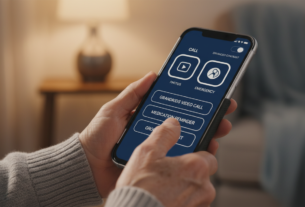
“Technology is nothing. What’s important is that you have a faith in people, that they’re basically good and smart, and if you give them tools, they’ll do wonderful things with them.” – Steve Jobs
This powerful insight from Steve Jobs captures the essence of creating technology that empowers rather than frustrates. As more seniors embrace smartphones and tablets, the need for thoughtful design becomes increasingly important.
Modern technology offers incredible benefits for this demographic. Staying connected with family, managing healthcare, and accessing information are just a few advantages. However, these benefits only materialize when the technology experience is designed with careful consideration.
The challenge lies in creating interfaces that are intuitive without sacrificing essential capabilities. This approach recognizes that simplification should not mean removing valuable functions. Instead, it involves presenting full functionality in more accessible ways.
Understanding the unique physical, cognitive, and experiential factors affecting how seniors interact with devices is crucial. Designers and developers can then create more inclusive digital experiences that respect users’ intelligence while accommodating their needs.
Key Takeaways
- Thoughtful design makes technology accessible to seniors without removing essential functions
- Modern devices offer significant benefits for older adults when navigation is intuitive
- Successful technology experience considers physical, cognitive, and experiential factors
- Simplification means presenting full functionality in more accessible ways
- Evidence-based approaches to interface design improve usability for all age groups
- Inclusive digital experiences benefit from real-world testing and research findings
- Practical strategies exist for creating technology that serves diverse user needs
Introduction to Accessible Navigation
As our population ages, the importance of accessible digital interfaces becomes increasingly clear. The digital world should welcome everyone, regardless of age or experience level. Creating technology accessible to all generations is both a practical necessity and an ethical imperative.
Why Accessibility Matters for Older Users
Accessibility in digital design is critical for older adults who depend on modern tech. These individuals use smartphones and tablets for essential daily tasks. They need to stay connected with family and access important services.
By 2030, one in six people worldwide will be aged 60 or older. This demographic represents the fastest-growing group of smartphone users. Making technology work for them requires understanding their unique needs and preferences.
The Role of Device Navigation in Daily Life
Digital interfaces serve as gateways to essential services for many adults. Well-designed navigation helps people manage healthcare, handle banking, and connect with their community. These functions are fundamental aspects of modern living.
When interfaces are poorly designed, they create barriers instead of bridges. Thoughtful navigation empowers people to make technology serve their needs. The goal is to create experiences that feel natural and supportive.
Good design should be tailored specifically for how different generations interact with tech. It recognizes that people want full functionality presented in clear, intuitive ways. This approach helps everyone participate fully in the digital world.
Understanding the Unique Needs of Older Adults
The aging process brings specific physical and cognitive changes that directly impact how people interact with digital tools. Recognizing these natural developments is essential for creating technology that truly serves this demographic.
Physical and Cognitive Considerations
Vision changes present significant challenges for many seniors. The lens becomes less flexible, color perception shifts, and contrast sensitivity drops by about 50%. These changes make reading small text and distinguishing similar colors difficult.
Hand dexterity also affects digital interaction. Arthritis affects roughly half of people over 65, making precise tapping movements painful. Tremors and decreased grip strength further complicate using touchscreen interfaces.
Cognitive processing naturally slows with age. Working memory capacity decreases, and divided attention becomes more challenging. These aren’t failures but normal aspects of aging that thoughtful design must accommodate.
Bridging the Digital Divide
Social factors greatly influence how seniors engage with technology. Those living alone may rely more heavily on devices for connection. Others receive guidance from younger family members, creating different levels of exposure.
Today’s older adults represent a broad spectrum of technology experience. Some are highly proficient while others are just beginning their digital journey. Effective design serves this diverse population without punishing lack of experience.
The digital divide isn’t just about access to devices. It’s about creating interfaces that bridge the gap between technological capability and real-world life circumstances. Successful design acknowledges these considerations while providing meaningful engagement.
Simplifying device navigation for first-time older users
When designing interfaces for seniors new to technology, the focus should be on clarity and predictability rather than removing functionality. Mature adults deserve access to complete feature sets presented in straightforward ways.
Clear Navigation Principles for Beginners
Effective digital experiences for older beginners rely on familiar patterns. Simple tab bars with three to five clearly labeled options work better than hidden menus or complex gestures.
Consistency across screens helps build reliable mental models. If the back button appears in the top left on one screen, it should remain there throughout the application.
Descriptive labels paired with icons provide essential guidance. “Messages” communicates more clearly than “Inbox,” and “Account Settings” works better than a standalone gear icon.
Avoiding Over-Simplification Pitfalls
The biggest mistake is treating mature adults like children who need everything stripped down. Many seniors have decades of computer experience and deserve respect for their intelligence.
Effective design reduces cognitive load without limiting capabilities. Shallow information architecture keeps important functions within two taps, preventing frustration.
This approach builds confidence through a logical step-by-step process. The goal is competence rather than patronizing simplification that removes valuable features.
Designing Accessible Interfaces for Seniors
Creating digital experiences that serve senior populations demands specific design strategies. These approaches focus on visual clarity and physical accessibility while maintaining full functionality.
Emphasizing Large Text and Touch Targets
Touch targets require careful sizing for comfortable interaction. Standard 44-pixel buttons often prove too small for people with arthritis or tremors.
Buttons measuring 60 pixels square work much better in practice. This larger size reduces accidental taps on wrong elements. Proper spacing between interactive components prevents frustration.
Strategic placement also improves usability. Important actions belong in the center or lower screen areas. This accommodates how many seniors hold their devices.
High Contrast and Readability Techniques
Text readability depends on multiple factors working together. Font size should never drop below 16 pixels for body content.
Contrast ratios of 7:1 or higher ensure text stands out clearly. Dark text on light backgrounds typically works best. Sans-serif fonts like Arial or Helvetica provide cleaner letterforms.
Generous line spacing and adjustable text options complete the picture. These elements combine to create interfaces that respect visual capabilities while delivering excellent content presentation.
Step-by-Step Guide to Enhancing Device Navigation
Transforming confusing screens into comfortable tools involves specific adjustments and supportive techniques. This systematic approach helps mature adults interact confidently with their technology.
Practical Tools and Techniques
Begin by evaluating the current setup. Identify barriers like small text or complex menus that create frustration.
Built-in accessibility features provide powerful solutions. Both iOS and Android offer display zoom, voice control, and high contrast modes. These options significantly improve readability.
- Adjust text size to 18-20 pixels for comfortable viewing
- Enable touch accommodations for longer press times
- Organize home screens with larger icons and fewer apps
- Create clearly labeled folders for related applications
- Place frequently used tools in easily accessible locations
Education builds confidence through consistent patterns. Teach where to find the back button and home screen functions. Visual guides with screenshots offer helpful reminders.
Regular practice sessions reinforce learning. Supervised activities like making video calls provide real-world experience. Supportive guidance ensures positive outcomes.
This process requires ongoing refinement as skills develop. Technology should adapt to changing needs and abilities over time.
Optimizing Video Calls and Communication Tools
Video communication has transformed how families maintain relationships across distances. Many mature adults rely on these tools to see and speak with family members regularly. Applications like FaceTime, Zoom, and WhatsApp provide essential visual connections.
These platforms help people stay connected with loved ones who live far away. The experience becomes especially valuable for those living independently. Clear, reliable communication builds meaningful social engagement.
Improving Connection and Clarity
Successful video interactions depend on both technical and human factors. Connection quality directly impacts user satisfaction. Poor audio or choppy video frustrates participants and reduces engagement.
Simple interface design prevents confusion during calls. Large, clearly labeled buttons for basic functions work best. This approach minimizes accidental disconnections.
Visual clarity enhances emotional connection during conversations. Maximizing the video window size makes faces more visible. Proper lighting ensures clear visibility of facial expressions.
Pre-setting favorite contacts simplifies the calling process. One-tap initiation eliminates complex menu navigation. This independence builds confidence in using communication tools.
Basic etiquette guidance improves call quality for everyone. Positioning cameras at eye level creates natural interaction. Headphones provide better audio clarity during conversations.
Regularly scheduled calls establish comforting routines. Anticipation of planned interactions reduces anxiety. Consistency strengthens relationships with important people.
Customizing Interfaces to Fit Daily Needs>
Custom interface design begins with understanding what truly matters in a person’s everyday routine. This approach transforms technology from generic to genuinely helpful.
Effective customization identifies which apps and features people actually use regularly. Optimizing these elements while hiding unused functionality reduces clutter and improves the overall experience.
Technology adoption increases when interfaces offer clear benefits tailored specifically to life stages. Health monitoring apps and communication tools become welcome additions to daily life.
Adjustable text sizes and contrast settings empower users to personalize their viewing experience. Easy-access controls make these modifications simple without complex menu navigation.
Text-to-speech functions provide crucial support for those who find reading challenging. This transforms written content into accessible audio format.
Practical customization includes creating shortcuts for routine activities. Weather checks, calendar views, and contact access become streamlined processes.
User profiles should remember preferences across sessions. This consistency builds confidence and reduces frustration with technology.
The goal is augmentation rather than simplification. Enhancing important interface elements makes digital tools more intuitive while preserving full functionality.
Integrating User Feedback and Iterative Testing
The most effective way to understand how mature adults use digital interfaces is through structured testing sessions. These evaluations provide authentic data about real-world usage patterns.
User Testing with Older Adults
Organized sessions with participants aged 65-85 reveal critical interaction patterns. Older adults read screens thoroughly before taking action, unlike younger users who scan quickly.
Testing uncovers unexpected challenges. Error messages cause disproportionate anxiety, requiring reassuring language and clear recovery steps.
Refining Design Through Real-World Insights
Feedback often highlights issues designers consider basic. Comments like “I didn’t know I could tap that” indicate insufficient visual cues.
The iterative process involves testing, refining, and retesting. This cycle builds interfaces that inspire confidence rather than frustration.
Continuous improvement creates technology that truly supports senior users. Each iteration better aligns with how mature adults think and interact.
Conclusion
Creating technology that genuinely serves senior populations requires moving beyond assumptions to embrace evidence-based approaches.
Thoughtful design respects the intelligence and capability of mature adults while accommodating natural physical changes. This approach transforms digital tools from frustrating obstacles into empowering resources.
Accessible interfaces benefit everyone, not just seniors. Clear layouts and intuitive controls create better experiences for all users across different age groups.
Real-world testing provides invaluable insights. Direct feedback from senior users reveals practical needs that theoretical design often misses.
When done right, technology builds confidence and maintains vital connections. It enables seniors to participate fully in their community and stay engaged with loved ones.
The goal is empowerment through thoughtful access and ongoing support. Quality design ensures technology enhances lives rather than creating barriers.