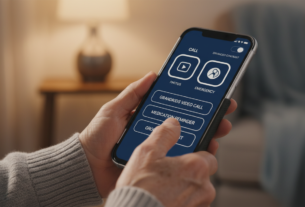
“Technology is nothing. What’s important is that you have a faith in people, that they’re basically good and smart, and if you give them tools, they’ll do wonderful things with them.” – Steve Jobs. This belief is more critical now than ever.
The landscape of the web has transformed. A Pew Research study shows a dramatic shift: 73% of older adults now use the internet, up from just 14% in 2000. More than half own smartphones.
Yet, increased adoption does not always mean ease of use. Many seniors and other people face real hurdles with modern technology. Usability and accessibility remain significant barriers.
This is not just a social issue. It’s a substantial market force. Adults aged 50 and up drive nearly $8 trillion in U.S. economic activity each year. By 2030, over a billion people globally will be 65 or older.
This article serves as a practical guide. It explores how to create web applications and tools that are intuitive for everyone. The goal is to empower users of all ages and skill levels with digital devices.
Key Takeaways
- The population of older adults using the web has grown exponentially in the last two decades.
- Despite high adoption rates, many seniors experience challenges with modern technology.
- Adults over 50 represent a powerful economic group with immense influence.
- Designing for inclusivity is both a humanitarian effort and a smart business strategy.
- Simple, clear design principles can make digital devices more accessible to all people.
Understanding the Needs of Low Tech Confidence Adults
A significant portion of the population grapples with a fundamental disconnect between owning modern gadgets and feeling capable of using them. This gap in digital literacy is a primary hurdle. While many older adults use internet-enabled devices, a lack of confidence often holds them back.
Identifying Digital Literacy and Usability Gaps
Research from the Pew Center provides clear data. In 2015, 11% of seniors reported no confidence with electronics. This highlights a persistent challenge.
The scale of this issue is massive. The 2010 U.S. Census showed nearly half of all people were age 45 or older. That’s 164 million individuals potentially facing these hurdles.
Barriers and Challenges Faced by Older Users
Specific obstacles create frustration. A UC San Diego study found many older users feel overwhelmed. Unfamiliar menus and complex terms lead to avoidance.
Career timing also plays a role. Some adults retired before workplace technology was essential. They missed the skill-building their younger peers experienced.
Physical changes add another layer. Lighthouse International reports 1 in 6 Americans over 45 has vision issues. This makes small text and low contrast on screens difficult to see.
- Feeling overwhelmed by complex designs
- Missing early opportunities to learn tech skills
- Navigating age-related physical changes
This cycle of doubt and avoidance prevents skill growth. Understanding these barriers is the first step toward breaking the cycle for all people.
Adapting Digital Interfaces for Low Tech Confidence Adults
The most powerful consumer group on the web often feels overlooked by modern application design. Adults age 50 plus represent the web’s largest constituency. They outspend younger consumers online 2:1 on a per capita basis.
Key Design Principles for an Inclusive Experience
Creating inclusive experiences requires fundamental shifts in approach. Good design meets users where they are rather than demanding adaptation.
The UC San Diego study revealed powerful insights. Involving older adults directly in the design process leads to more practical solutions. Participants suggested simpler interfaces with larger text and clearer instructions.
Prioritizing User-Friendly Features
Focusing on accessibility creates better experiences for all people. Simple navigation and clear labels help everyone.
Many older adults feel current digital tools weren’t created with their needs in mind. Designers sometimes prioritize aesthetics over usability.
Including diverse age groups in testing improves technology for almost everyone. This approach expands market reach while enhancing satisfaction across demographics.
Incorporating Senior-Centric Design Principles
True senior-centric design begins by shifting from a top-down development model to a collaborative process. This approach ensures products meet the real needs of the aging population.
Involving Older Adults in the Design Process
Many technology companies create products based on assumptions rather than real feedback. This causes tools to fail the older adults who need them most.
Recruiting participants is easier than many think. Community centers, libraries, and retirement communities offer great access to seniors. Most adults feel valued when asked for their opinions.
A UC San Diego study shows the power of this approach. Participants suggested practical solutions like keyless entry systems and simpler interfaces.
Applying Accessibility and Usability Guidelines
Basic accessibility standards provide a foundation. But senior-friendly design requires going further.
Consider these age-specific factors:
- Vision changes requiring larger text
- Hearing considerations for audio cues
- Motor skill adaptations for navigation
Training resources should match these design improvements. Hands-on workshops and clear guides help older adults gain confidence with new tools.
Leveraging Technology and Research for Inclusive Design
Data-driven insights reveal unprecedented opportunities in senior technology adoption. Compelling statistics show how older adults have embraced modern devices over time.
Data Insights and Trends in Senior Technology Adoption
Pew Research data demonstrates remarkable growth. Internet usage among seniors jumped from 14% in 2000 to 73% today. Over half now own smartphones.
This adoption surge stems from clear benefits. Telehealth services provide remote medical care. Smart home devices support independent living. Video calls maintain family connections across distances.
Case Studies and Expert Research Findings
Professor Jan Craftsman coined “gerontechnology” in 1989. This field combines gerontology and technology to serve the aging population. It applies across healthcare and psychology.
Real-world examples show successful approaches. Tech SOTO connects younger volunteers with older people needing digital literacy skills. Their free sessions build confidence with modern tools.
The market potential is enormous. By 2030, over one billion people worldwide will be 65 or older. US adults aged 50+ drive $8 trillion in annual economic activity.
Practical Tips for Designing Intuitive Interfaces
Creating intuitive interfaces requires specific design choices that consider the physical and cognitive changes many people experience with age. These practical approaches make web content more accessible for everyone.
Using Accessible Colors, Fonts, and Contrast
Visual accessibility is crucial since one in six Americans over 45 reports vision impairment. Standard accessibility guidelines provide a foundation, but aging eyes need extra consideration.
Use text no smaller than 14 points with larger text at 18 points or above. Implement double or AAA color contrast ratios for better visibility. Tools like Color Safe help choose appropriate combinations.
Implementing Responsive and Error-Friendly Design
Buttons should measure at least 48 pixels for easy selection. Avoid features requiring rapid input or advanced technical knowledge. Allow sufficient time for responses.
Provide clear error messages and simple recovery options. Use focus states for interactive elements like buttons and text fields. These considerations help users with varying motor skills.
Memory support features like password hints and reminder systems benefit all age groups. This approach creates more forgiving web design that accommodates human error.
Conclusion
As society becomes increasingly digital, ensuring no one gets left behind becomes essential. Creating accessible and user-friendly technology helps older adults fully benefit from modern advancements.
Privacy concerns impact many seniors‘ willingness to embrace new tools. Research shows transparency about data handling builds trust. When people see clear value, they become more comfortable using technology.
The business case is strong. The aging population represents a powerful market group. Companies focusing on simplicity and support will capture this influential demographic.
Including older adults in design processes improves experiences for all users. With proper training and thoughtful web design, many older adults can gain confidence to use internet services effectively.