Every 43 seconds, cybercriminals launch a new attack according to law enforcement reports. That’s more than 2,000 digital threats every single day targeting the devices we rely on most.
Your smartphone and tablet contain your entire digital life. These tools hold sensitive details from bank accounts to private messages. Many people don’t realize how vulnerable their information really is.
This guide provides simple, effective strategies anyone can use immediately. You don’t need technical expertise to secure your mobile technology. Our approach focuses on practical steps that deliver real results.
We’ll show you how to defend against common threats like hacking and phishing scams. These methods draw from cybersecurity experts who understand real-world risks. You’ll learn to create multiple layers of security for your digital world.
By implementing these recommendations, you can dramatically reduce your exposure to digital dangers. The peace of mind that comes with knowing your sensitive content is safe is invaluable.
Key Takeaways
- Cyber attacks occur approximately every 43 seconds, making mobile security urgent
- Smartphones and tablets contain highly sensitive information requiring protection
- Simple strategies can significantly improve your digital safety without technical knowledge
- Multiple security layers provide the best defense against various cyber threats
- Expert-backed approaches offer reliable protection for your valuable content
- Immediate implementation of security measures can prevent potential data breaches
- Regular security practices become second nature with consistent application
Understanding Digital Security and Data Protection
Digital security incidents have reached epidemic proportions in recent years. The complexity of these threats makes them difficult for many individuals to fully comprehend. Yet their real-world impacts affect millions of people annually.
Importance of Cybersecurity in the Digital Age
Between 2019 and 2023, the FBI’s Internet Crime Complaint Center recorded 3.79 million cyberattack complaints. This averages approximately 758,000 reports each year. Many incidents likely go unreported, suggesting even greater numbers.
The financial toll is staggering. Total losses reached $37.4 billion over five years. Each complaint filed with authorities represented an average loss of $9,868.
Overview of Rising Data Breach Trends
Despite these alarming statistics, many people underestimate their risk. Approximately 66% of small business leaders believe cyberattacks are unlikely to affect them. This creates a dangerous false sense of security.
Surveys show around 17% of people report being victimized in a cyberattack. Another 17% aren’t sure if they’ve been targeted. This suggests many breaches go completely undetected.
The biggest losses stem from internet scams, fraud, and identity theft. Criminals often exploit stolen information for financial gain. Understanding these trends is the first step toward taking digital security seriously.
Protecting Personal Data on Everyday Devices
Modern smartphones have transformed from simple communication tools into comprehensive digital vaults holding our most sensitive details. These portable computers contain everything from financial records to private conversations and location history.
The convenience of constant connectivity comes with significant risks. Our mobile companions travel with us everywhere, creating multiple points of vulnerability.
Why Everyday Devices Are Vulnerable
Mobile technology faces unique threats compared to stationary computers. These gadgets connect to various networks throughout the day.
Public Wi-Fi hotspots present particular dangers. Criminals can intercept transmissions on unsecured connections.
Physical loss or theft creates immediate crises. A missing phone means someone could gain entry to your accounts.
Key Statistics Highlighting Cyber Threats
Research shows mobile malware infections increased by 54% last year. Attackers specifically target handheld technology.
Approximately 60% of fraud originates from mobile platforms. This demonstrates the concentrated risk facing phone users.
Nearly one-third of people never install security updates. This leaves glaring holes in their digital defenses.
Understanding these vulnerabilities is the first step toward effective protection strategies. Awareness helps you make smarter security choices.
Recognizing Mobile and Tablet Security Threats
Your mobile inbox and social media feeds are battlegrounds where digital threats constantly evolve. Understanding these dangers is the foundation of strong digital safety.
Common Attack Vectors: Hacking and Phishing
Hacking involves exploiting weaknesses in technology to gain unauthorized access. Attackers might lock you out of your system or steal sensitive information.
Not all hackers operate with malicious intent. It’s helpful to know the different types:
- White Hat: Ethical experts who find and report vulnerabilities.
- Black Hat: Criminals who exploit weaknesses for illegal gain.
- Gray Hat: Operate in a moral gray area, often without permission.
Phishing scams are particularly deceptive. Criminals create fake emails or messages that look like they’re from your bank or a trusted contact. The goal is to trick you into clicking a link to a fraudulent website.
Identifying Malware and Suspicious Activities
Malicious software, or malware, can hide in seemingly harmless apps. It might secretly transmit your information or lock your device entirely.
Stay alert for warning signs. Spelling errors in an official-looking email are a major red flag. Be wary of unexpected urgent requests for your login details.
Apps that ask for unnecessary permissions should raise concerns. Recognizing these signs helps you avoid compromised accounts and financial loss.
Assessing Your Personal Risk and Threat Model
Before implementing security measures, it’s crucial to assess what specific threats you face. Digital security expert Eva Galperin from the Electronic Frontier Foundation advocates for “threat modeling” as a practical approach.
She notes that perfect security is impossible for anyone living a normal connected life. Instead, focus on what you need to protect and who might want your information.
Evaluating your device usage habits
Threat modeling helps identify what sensitive content requires protection. It also determines who might try to access or exploit that data.
Most individuals face common risks from scammers seeking financial gain. These include ransomware attacks and phishing attempts for account access.
Certain populations need specialized strategies. People seeking healthcare across state lines must prevent location tracking. Survivors of domestic abuse face unique challenges when abusers have physical device access.
| Threat Scenario | Primary Concerns | Recommended Approach |
|---|---|---|
| General User | Financial scams, data theft | Basic password hygiene, software updates |
| High-Risk Populations | Location tracking, communication monitoring | Encrypted messaging, VPN usage |
| Domestic Abuse Survivors | Physical access, installed monitoring | Separate devices, emergency protocols |
Evaluate what sensitive information you store and who has physical access to your technology. This helps create proportionate security measures that provide meaningful protection without overwhelming complexity.
Understanding your personal threat model allows you to focus efforts on your most likely and dangerous risks. The goal is balancing practical security with maintaining normal functionality for you and your family.
Securing Devices with Strong Passwords and Passcodes
Many security breaches begin with weak or reused passwords that are easy to guess. This first layer of defense is crucial for controlling access to your sensitive information.
A strong password acts as a powerful barrier. It should be long and combine different character types.
How to Create Complex and Unique Passwords
Think beyond simple words or numbers a criminal could easily figure out. Avoid using your birthday, name, or phone number.
The most secure passwords mix uppercase and lowercase letters, numbers, and symbols. Make sure the combination is truly random.
Cybersecurity expert Eva Galperin recommends using a passphrase. This involves choosing five or six random words strung together.
It is also vital to create a unique password for every account and service. This practice prevents a single breach from compromising multiple accounts.
For smartphone passcodes, always opt for a six-digit code. The numbers should be random, not a simple sequence like “123456”.
Creating and remembering many complex passwords can be challenging. Security experts often recommend using a password manager tool.
These tools generate and store strong, unique credentials for you. They help maintain high security without the memorization burden.
Periodically changing your passwords adds another security layer. This is especially important for high-value accounts like email and banking.
| Password Element | Weak Example | Strong Example |
|---|---|---|
| Length | password8 | RedBrick$Skyline5Forest! |
| Complexity | johndoe1980 | J0hn!D03_1980?Tulip |
| Uniqueness | Same password for all sites | Different password for every login |
Enhancing Security with Two-Factor Authentication
Even the strongest password can be compromised, making an additional verification step essential for true account safety. Two-factor authentication provides this critical second layer of security.
This method requires two separate forms of verification before granting account access. It significantly reduces the risk of unauthorized entry.
Benefits of Authenticator Apps vs. SMS Codes
Many services send a code via SMS text message or email. While better than nothing, security expert Eva Galperin notes SMS is the least secure option.
“SMS messages are not encrypted,” she explains, “and it’s possible to intercept them.” This creates a vulnerability.
Authenticator apps like Google Authenticator or Duo Mobile offer superior protection. They generate time-sensitive codes directly on your device, avoiding vulnerable phone networks.
For maximum security, physical keys provide the highest level of authentication. These USB devices require physical possession for access.
Always have a backup method. Losing a physical key without a backup can lock you out of your account permanently.
Step-by-Step Guide to Setting Up 2FA
Activating this extra security layer is straightforward. Most major platforms like Gmail and Instagram encourage its use.
First, navigate to your account’s security or privacy settings. Look for an option labeled “Two-Factor Authentication” or “2FA.”
Select your preferred method, such as an authenticator app. The service will provide a QR code to scan with your app.
Once linked, your app will generate a unique code for each login attempt. Enter this code after your password to gain access.
This simple process creates a powerful barrier against cyber threats. The minor login inconvenience is outweighed by the substantial security boost.
Keeping Software Updated and Optimizing Security Settings
Manufacturers dedicate significant resources to identifying and addressing vulnerabilities in their mobile platforms. This ongoing work forms the foundation of digital safety for millions of users worldwide.
Technology companies like Google and Apple employ teams that work continuously to strengthen their operating systems. When these companies release updates, they often include critical patches for newly discovered threats.
Importance of Regular Software Updates
Many cyberattacks rely on pre-existing hacking tools called “script kiddies.” These programs exploit known weaknesses that manufacturers have already addressed.
Installing updates promptly renders these common attacks ineffective. The minor inconvenience of update installation is far outweighed by the security benefits.
Security experts recommend enabling automatic updates or scheduling them during nighttime hours. This approach ensures consistent protection without disrupting daily activities.
Beyond operating system updates, users should make sure all applications remain current. Outdated apps can create entry points for malware and other threats.
Optimizing security settings involves reviewing privacy configurations and app permissions. Taking time to properly configure these options maximizes your device’s built-in protections.
Regular maintenance of both software and settings creates a robust defense system. This proactive approach significantly reduces vulnerability to preventable security breaches.
Avoiding Jailbreaking and Unsecured Modifications
While gaining complete control over your device’s functionality sounds liberating, this freedom often sacrifices essential security measures. Jailbreaking removes manufacturer restrictions on your phone, allowing you to install apps from unofficial sources.
This process dismantles the security framework that companies like Apple and Google build into their operating systems. Think of it as removing the protective fence around your digital house.
Apps from unofficial stores haven’t undergone security screening. They may contain malware designed to steal your information. This creates significant risks for your sensitive content.
Jailbroken devices lose built-in virus protection and cannot receive regular software updates. This leaves your phone vulnerable to new threats that emerge over time.
The temporary benefits of customization pale against permanent security risks. Instead, explore legitimate options within your device’s official settings for safer customization.
Maintaining your phone’s original security architecture provides the best protection against unauthorized access. Respect the security measures designed by professionals who understand current digital threats.
Identifying and Avoiding Phishing, Smishing, and Scam Tactics
The digital landscape is filled with fraudulent communications designed to trick users into revealing confidential information. Modern phishing attempts have become incredibly sophisticated, often mimicking legitimate corporate messages with remarkable accuracy.
Cybercriminals craft these deceptive messages to appear as urgent communications from trusted sources. They exploit psychological triggers to bypass rational thinking.
Signs of Phishing Emails and Pop-ups
Scammers frequently create a false sense of urgency in their messages. They might claim your account will be closed or that you’ve won a prize requiring immediate action.
Always examine the sender’s email address carefully. Look for subtle misspellings or domains that don’t match the organization’s official website.
Legitimate companies rarely request sensitive information through unsolicited email. Your bank will never ask for passwords or account details via email.
Spelling errors and poor grammar often indicate phishing attempts. Professional organizations maintain high standards for their communications.
Smishing attacks use text messages instead of email. Verify any suspicious message by contacting the organization directly through official channels.
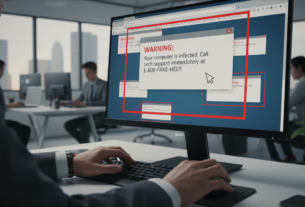
Pop-up warnings about virus infections are typically scams. Never download software or provide personal information in response to these alerts.
Implementing Safe Browsing and Website Security Practices
The address bar in your browser provides immediate clues about a website’s security status. Learning to read these indicators helps you avoid dangerous online locations.
Look for HTTPS at the beginning of any web address. The “S” confirms encryption protects your information during transmission. This prevents interception of sensitive details.
Verifying HTTPS Connections and Padlock Symbols
A padlock symbol beside the URL indicates basic security measures are active. However, this alone doesn’t guarantee complete safety.
Some malicious sites now use HTTPS to appear legitimate. Always combine padlock verification with other trust signals.
Never enter passwords or financial information on sites missing both HTTPS and the lock icon. This simple rule prevents most basic theft attempts.
Watch for multiple warning signs during browsing. Excessive pop-ups, spelling errors, and illogical content often indicate scam operations.
Professional websites maintain clear privacy policies and contact information. They also accept standard payment methods from major credit card companies.
Sites requesting only bank transfers typically provide no fraud protection. Use verification tools like Google Transparency Report for suspicious addresses.
Browser security features offer important protections. Combine these with your own vigilance for comprehensive safety during all online activities.
Utilizing Built-In Security Tools and Apps
Many users overlook the comprehensive security tools already integrated into their everyday browsing applications. Modern browsers like Chrome, Firefox, and Safari include extensive features that work automatically.
These applications block pop-ups, disable dangerous content, and prevent malicious downloads. They also control which websites can access your microphone, camera, and speakers.
Simply navigate to your browser‘s “Privacy and Security” section to review these settings. You’ll find options like “do not track” requests and unsafe content blocking. Make sure these features are properly enabled for optimal protection.
Anti-virus and anti-spyware software provide essential layers of defense for your device. They scan for malicious code and remove threats before they compromise your information.
Firewall protection monitors network traffic, blocking unauthorized access attempts. Many operating systems include built-in firewalls that require minimal configuration.
Your phone and tablet also contain native security features. Activate Find My Device, automatic app scanning, and permission controls. These tools offer substantial protection with little effort.
Privacy-focused browser extensions like Privacy Badger can stop advertisers from tracking your online behavior. Make sure all your security features work together for comprehensive defense.
For additional protection, consider cyber insurance. This option helps families recover from attacks by covering fraudulent charges and providing identity restoration services.
Managing Social Media and Privacy Settings Effectively
Many users underestimate how much information they reveal through routine social media activity. These platforms collect extensive details about your life and habits.
Default configurations often share more than necessary with broad audiences. Regular reviews of your privacy settings are essential for maintaining control.
Adjusting privacy settings to limit data exposure
Start by auditing who can view your posts and profile information. Restrict access to trusted connections rather than public audiences.
Limit who can tag you in content and see your friend lists. Control visibility of past posts and personal details like contact information.
Location sharing should be disabled or restricted to specific trusted individuals. Real-time updates about your whereabouts create unnecessary risks.
Best practices for sharing personal information online
Always review content before posting. Check photos and videos for unintended background details.
Avoid sharing specific locations, travel plans, or daily routines. Criminals can use this information for identity theft or physical threats.
Be mindful of your posting history. Old content combined with new updates can create comprehensive profiles.
Limit friend lists to people you know personally. Think critically about how shared information could be exploited by others.
Creating a Routine for Daily Digital Hygiene
Building strong digital habits requires consistency rather than complexity. The best way to maintain your device’s security is through simple, repeatable actions that become part of your normal life.
Daily checks and updates for mobile security
A quick daily review takes only a few minutes but offers significant protection. Check for any available software updates and install them promptly.
Scan your notifications for suspicious messages. Look over recent account activity for anything unfamiliar. This regular work helps catch issues early.
Weekly routines allow for a deeper review of your information. Check social media privacy settings and review what permissions your apps have.
Clear your browsing history and cache. Make sure your backup systems are functioning correctly to safeguard your valuable content.
Monthly tasks provide a comprehensive security overview. Audit passwords for your most important accounts, like email and banking.
Review credit reports for signs of identity theft. Evaluate if your security tools are current and working effectively. Allocating specific time for this prevents neglect.
The most effective routines fit seamlessly into your schedule. They should not feel like constant work but rather automatic, protective habits.
| Frequency | Key Tasks | Time Investment |
|---|---|---|
| Daily | Update checks, notification review | 2-3 minutes |
| Weekly | Privacy settings, app permissions | 10-15 minutes |
| Monthly | Password audits, tool evaluation | 20-30 minutes |
Leveraging Expert Insights and Cyber Insurance Options
Cyber insurance provides financial protection that complements technical security measures for comprehensive risk management. This approach combines prevention with recovery support.
Consulting Cybersecurity Experts for Personalized Advice
Security professionals possess specialized knowledge about evolving threats. They can identify vulnerabilities that automated tools might miss.
Organizations like the Electronic Frontier Foundation put expert guidance in the hands of ordinary people. Director Eva Galperin and her team provide resources for those with complex security needs.
High-risk individuals benefit greatly from professional consultation. This includes journalists, activists, and domestic abuse survivors.
Understanding Cyber Insurance for Risk Management
Insurance coverage helps families recover from cyberattacks financially and emotionally. Companies like Chubb employ experts who evaluate vulnerabilities.
This protection extends beyond simple financial reimbursement. It covers identity restoration and provides recovery resources.
The emotional impact of security breaches often exceeds direct financial losses. Comprehensive support addresses family wellbeing.
| Protection Type | Primary Benefit | Best For |
|---|---|---|
| Expert Consultation | Personalized threat assessment | Complex security situations |
| Cyber Insurance | Financial recovery support | Family risk management |
| Combined Approach | Comprehensive safety net | Maximum protection |
Combining expert insights with insurance creates a complete safety strategy. This approach protects both your information and your family’s wellbeing.
Adopting Practical Tips for a Safer Mobile Environment
Simple adjustments to your phone’s settings can create a powerful shield against digital threats. These changes require minimal effort but deliver significant security benefits for your daily mobile use.
Public Wi-Fi networks offer convenience but lack proper security measures. Avoid entering credit card details or accessing your bank account on these connections. Wait until you’re on a secure network for financial transactions.
Set your phone to auto-lock after just 30 seconds of inactivity. This brief time frame ensures your device remains secure during moments when it’s not in your hands. While entering your passcode more often might seem inconvenient, it provides essential protection.
Turn off auto-fill features that complete forms with your financial information. This prevents unauthorized access if your phone falls into the wrong hands. Manual entry takes more time but keeps your sensitive content secure.
Enable the erase data feature that wipes your device after multiple failed login attempts. This provides ultimate protection against persistent hacking efforts. Just make sure you have backups of important information.
| Security Setting | Recommended Action | Key Benefit |
|---|---|---|
| Public Wi-Fi Usage | Avoid financial transactions | Prevents information interception |
| Auto-Lock Timer | Set to 30 seconds | Quick device protection |
| Auto-Fill Feature | Disable for forms | Blocks automatic data sharing |
| Erase Data Option | Enable after failed attempts | Ultimate access prevention |
These practical steps fit naturally into your daily life without dramatic changes. The minor inconveniences are worth the peace of mind they provide for your digital world.
Conclusion
True digital safety comes from consistent habits, not complex technology. The strategies in this guide create layered protection that grows stronger with regular use.
Security is about smart choices, not perfect invulnerability. Small actions like pausing before clicking and updating software build substantial safety over time.
Your mobile technology holds valuable personal data that deserves careful attention. These practical steps help people navigate the internet with confidence.
Taking control of your digital life brings peace of mind. You can enjoy connected devices while keeping your information secure from evolving threats.