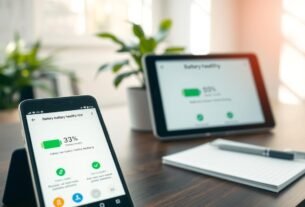
Most people replace their smartphones every 2-3 years. This creates a constant cycle of upgrades and electronic waste. But what if your technology could last much longer?
With smart maintenance and the right adjustments, a well-cared-for phone can serve you for five years or more. This doubles the value of your original purchase. You save money while reducing environmental impact.
For businesses, the financial benefits are even greater. Small companies spend nearly 7% of their revenue on IT equipment each year. Keeping hardware functional longer significantly cuts these costs.
This guide shows how simple configuration changes can preserve your technology. You’ll learn about battery optimization, thermal management, and software maintenance. These strategies help maintain peak performance while slowing hardware aging.
Key Takeaways
- Proper settings management can double your smartphone’s functional life
- Businesses can reduce IT costs by maximizing equipment longevity
- Strategic adjustments balance performance needs with hardware preservation
- Battery and thermal management are crucial for slowing component degradation
- Environmental benefits include reduced e-waste and conservation of resources
- Evidence-based approaches ensure devices remain efficient for extended periods
- Immediate implementation of these strategies delivers quick results
Understanding Device Aging and Performance Decline
Every piece of technology faces an internal clock that dictates its functional peak. This natural process involves all electronic parts gradually losing their original efficiency. The speed of this decline, however, is not fixed.
How you configure and use your gadget plays a major role. The choices you make control how hard the internal parts work. They also manage the heat generated and the stress cycles these parts endure.
How Configurations Impact Hardware Aging
User choices directly influence the wear on vital hardware. For example, a lithium-ion battery is rated for 300-500 full charge cycles. High temperatures can break down its internal structure much faster.
This principle applies to other critical components as well. Processors, storage drives, and screens each have unique aging characteristics. Thermal stress is a common enemy, accelerating degradation across the board.
Critical Components and Their Lifespan
Knowing the limits of key parts helps you make smarter decisions. The table below outlines typical lifespans and their main stressors.
| Component | Typical Lifespan Indicator | Primary Stress Factor |
|---|---|---|
| Battery | 300-500 charge cycles | High Temperature & Overcharging |
| Solid-State Drive (SSD) | Terabytes Written (TBW) | Excessive Data Write Cycles |
| Display Screen | Gradual Brightness Loss | Maximum Brightness & Static Images |
Understanding this relationship allows you to balance immediate performance with long-term health. Smart management can add years of functional use to your technology.
Recognizing the Signs of Device Wear
Spotting the early symptoms of a struggling gadget can save you from costly repairs or an untimely replacement. These warning signs often appear gradually. Paying attention allows for proactive action.
Common performance issues are among the first indicators. Your phone or laptop may start to feel sluggish. Apps take longer to open, and simple tasks cause noticeable lag.
Performance Slowdowns and Battery Degradation
Slower operation is frequently linked to battery health. As a battery ages, it holds less charge. You might see faster power drain or unexpected shutdowns.
This forces the processor to work harder, generating excess heat. The system struggles to maintain speed. This creates a cycle that accelerates wear.
Identifying Early Warning Indicators
Look for both physical and software clues. A gadget that feels unusually warm during normal use is a red flag. Constant fan noise can also signal internal stress.
Software-related issues include frequent app crashes and failed updates. Older devices may become incompatible with new software. This poses security risks over time.
Recognizing these signs helps you decide between a simple fix and a major repair. Addressing minor issues early can prevent a complete device failure.
Extending Device Lifespan Through Settings
Your gadget’s long-term health is heavily influenced by the choices you make in its menus. Simple adjustments can significantly slow down internal wear and tear. This proactive approach is the most effective way to protect your investment.
Optimize Battery Settings for Longevity
Smart charging features are your first line of defense. Enable tools like iOS Optimized Battery Charging or Android Adaptive Charging. These systems learn your routine to reduce the time your battery sits at a full charge.
This simple management technique minimizes stress on the battery cells. It helps prevent the accelerated degradation caused by constant high voltage. Your power source will remain healthier for much longer.
Manage Software Updates and Background Processes
Keeping your software current is crucial for security and stability. New updates often include performance tweaks and bug fixes. However, major OS upgrades can sometimes demand more from older hardware.
It’s wise to check user feedback before installing a significant new version. This process helps you balance new features with smooth operation.
Also, review which apps can refresh in the background. Disabling this for non-essential applications saves battery and processing power. This reduces heat and strain on your gadget’s components, contributing to a longer device lifespan.
Optimizing Battery Health for Longevity
Your battery is the heart of your gadget, and its care dictates the overall health of your technology. Lithium-ion cells thrive when kept in a moderate charge state. The sweet spot for preserving their chemical integrity is between 20% and 80% capacity.
Avoiding Overcharging and Deep Discharges
Constantly holding a full charge puts significant strain on the battery. The high voltage at 100% capacity accelerates internal wear. It’s best to unplug your gadget once it’s fully powered up.
Similarly, letting the charge drop to zero is harmful. Deep discharges can cause critical voltage drops. This makes it harder for the battery to recover and reduces its total cycle count.
Temperature Management and Cooling Tips
Heat is a major enemy of battery life. High temperatures speed up chemical reactions that break down the cell’s structure. This leads to a permanent loss of capacity over time.
Keep your electronics away from direct sunlight and hot environments. Remove protective cases during heavy use or charging to improve airflow. These simple cooling tips help maintain a safe operating temperature.
Following these practices can add years of functional life to your equipment. You will delay the need for costly replacements.
Improving Software & Storage Hygiene
A clean digital environment prevents your gadget from working overtime, which preserves its internal components. Good software and storage habits ensure your system has the resources it needs. This reduces strain and helps maintain smooth performance.
Regular Software Cleanups and Updates
Unused apps and old files take up valuable space. They can also run background processes that drain power. Regularly deleting what you don’t use frees up memory and reduces data clutter.
Keeping your software updated is also key. New updates often include security patches and efficiency improvements. This helps your devices run securely without extra stress.
Streamlining Storage and Managing Cache
When local storage gets full, performance suffers. Your phone struggles to create temporary files. Using cloud services like Google Photos or iCloud automatically backs up media. This action frees gigabytes of space without losing your data.
Cache data helps apps load faster. But over time, it can become large and outdated. Clearing app caches monthly keeps storage efficient. It also prevents old files from slowing things down.
Set a monthly reminder for a digital clean-up. Review your storage, update apps, and delete clutter. This simple routine keeps your technology running well for years.
Implementing Thermal Management Strategies
Managing internal temperatures is a powerful way to protect your electronics. Heat acts as a primary stressor, accelerating wear on delicate parts. A proactive approach to cooling ensures consistent operation and preserves your investment.
Utilizing Cooling Solutions Effectively
Good airflow is the foundation of any cooling plan. For laptops, a simple stand lifts the chassis. This creates space underneath for air to circulate, which helps dissipate warmth.
Dust buildup is a common enemy. It clogs vents and insulates components, trapping heat inside. Regular cleaning with compressed air every few months keeps these pathways clear.
This maintenance prevents the system from overheating. Clean components run cooler, which supports stable performance.
Monitoring Temperature for Optimal Performance
Many gadgets have built-in sensors that track internal heat. Third-party apps can also provide detailed temperature readings. Watching these metrics helps you spot problems early.
If your gadget feels unusually warm during light use, it’s a warning sign. High temperatures can force the processor to slow down. This protective measure, called thermal throttling, hurts speed.
By keeping an eye on heat levels, you can take action before damage occurs. This simple habit is key to maintaining your equipment’s health.
Device-Specific Settings for Laptops and Mobile Devices
The configuration needs for smartphones and laptops diverge significantly based on their design and usage patterns. Each category has unique hardware characteristics that respond best to tailored optimization approaches.
Tailoring Settings Based on Device Type
For mobile phones, focus on battery preservation features. Enable iOS Optimized Battery Charging or Android Adaptive Charging. These tools learn your routine to minimize stress on power cells.
Reduce screen brightness and limit background app activity. These adjustments conserve energy and reduce thermal strain. Your phone will maintain better performance over time.
Laptops benefit from different strategies. When used primarily on AC power, activate battery preservation modes. This prevents unnecessary charge cycles that degrade capacity.
Keep ventilation areas clear for proper cooling. Consider hardware upgrades like adding RAM or switching to solid-state drives. These improvements can significantly boost older machines.
| Optimization Area | Smartphone Approach | Laptop Approach |
|---|---|---|
| Battery Management | Adaptive charging, 20-80% range | Preservation mode for AC use |
| Performance | Limit background apps | RAM/SSD upgrades possible |
| Screen Usage | Auto-brightness, shorter timeout | Balanced for desk use |
| Cooling | Case removal during heavy use | Vent cleaning, elevated position |
Understanding these differences helps you apply the most effective preservation techniques. Each device type has specific vulnerabilities that require targeted solutions.
Routine Maintenance Tips for Hardware Durability
Consistent physical care is a powerful habit that protects your electronics from gradual wear. Small, regular actions prevent major problems down the line. This proactive approach keeps your gear running smoothly for years.
Waiting until performance slows to a crawl is less effective. A little attention now saves money and frustration later. Good habits form the foundation of hardware durability.
Cleaning and Dust Prevention Techniques
Dust is a silent enemy that can clog vital components. Use a soft brush or compressed air to clean charging ports and cooling vents. Avoid metal objects that can cause scratches or short circuits.
Gently clean speaker grilles with a dry, soft-bristled toothbrush. This prevents muffled audio and maintains sound quality. Proper cleaning is essential care for your equipment.
Store your devices in clean, dry places when not in use. Protective covers shield them from dust accumulation. Good storage is a key dust prevention strategy.
Establishing a Maintenance Schedule
Set a simple schedule to ensure consistent maintenance. A monthly digital cleanup and a quarterly physical inspection work well. This routine catches small issues before they become critical failures.
Check charging cables and ports regularly for damage. This prevents connection problems that can strand functional technology. Your schedule should match how often you use the equipment.
For storage, consider using silica gel packets to control moisture. Avoid extreme temperatures and physical stress. These tips help preserve your gear over time.
Using Cases and Screen Protectors to Prevent Damage
The right combination of cases and screen guards acts as essential armor against everyday accidents that threaten your technology. These accessories form your first line of defense against physical harm that could end your equipment’s service prematurely.
Choosing the Right Protection Accessories
Selecting proper protection involves balancing impact resistance with thermal management. Some heavy-duty cases trap warmth that accelerates battery degradation. Look for breathable designs if your equipment runs warm during intensive activities.
Tempered glass offers superior impact resistance for your display. Film protectors provide scratch prevention with minimal thickness. Both options preserve screen clarity while adding crucial protection.
Quality cases feature raised edges around screens and cameras. This design prevents surface contact during drops. It stops the most common types of catastrophic harm.
Consider removing cases during charging or heavy use if heat builds up. Temporary warmth from operation causes less stress than prolonged thermal buildup. This simple habit maintains better temperature control.
These accessories represent minimal investments compared to repair costs. They can prevent damage requiring hundreds of dollars in fixes. Smart protection choices preserve your technology’s functionality for years.
Balancing Performance and Longevity Through Usage Habits
The way you charge and operate your gear creates a lasting impact on its internal components. Smart daily routines help you enjoy peak speed while preserving your equipment’s future health.
This balance is achieved by developing conscious habits. These practices meet your immediate needs without pushing hardware to its limits unnecessarily.
Smart Charging Practices
Charging habits are fundamental to battery life. Avoid leaving your phone plugged in overnight. This action prevents extended periods at full charge, which strains the power cells.
An exception is if your equipment has an optimized charging feature. Systems like iOS Optimized Battery Charging can safely manage overnight power cycles.
Always use manufacturer-approved chargers and cables. Cheap alternatives can deliver unstable current. This instability generates excess heat and can cause permanent damage.
For daily top-ups, slow charging is the gentler option. It produces less heat than fast charging. Reserve rapid power restoration for true emergencies.
Aim for frequent, partial charges between 20% and 80%. This approach is much healthier for modern batteries than full discharge cycles.
Your operational habits are equally important. Avoid combining high-stress activities. Playing intensive games while charging creates significant thermal and electrical strain.
Being aware of which tasks demand the most from your hardware allows for moderation. This awareness is key to a long and healthy device life.
| Charging Habit | Impact on Performance | Benefit for Longevity |
|---|---|---|
| Using Slow Charging | Slightly longer charge time | Significantly less heat, preserves battery chemistry |
| Partial Charges (20-80%) | Consistent daily power levels | Reduces stress per cycle, extends total cycle count |
| Avoiding High-Use While Charging | Prevents thermal throttling | Minimizes combined electrical and thermal stress |
| Using Approved Chargers | Stable, reliable power delivery | Prevents voltage spikes that damage components |
Customizing Device Settings for Energy Efficiency
Energy efficiency settings offer a straightforward approach to preserving your technology’s performance while reducing power consumption. These adjustments help your equipment work smarter, not harder. They minimize strain on internal components while maintaining essential functions.
Enabling Power-Saving Modes
Most modern electronics include built-in power-saving options. Activating these modes reduces background activity and limits processor speed. This action delivers substantial battery gains with minimal impact on daily tasks.
Power-saving features are particularly helpful for older equipment. They provide a smart way to maintain usability when power cells show signs of aging. These modes extend operational time between charges.
Adjusting Screen Brightness and Timeout Settings
Display brightness significantly affects energy consumption. Lowering intensity provides immediate power savings. Setting shorter timeout periods turns screens off quickly during inactivity.
Adaptive brightness automatically adjusts based on ambient light. This feature offers optimal visibility while conserving energy. Combined with proper timeout settings, these adjustments create an efficient way to manage power across all your electronic devices.
Disabling unnecessary features like location services and Bluetooth when not in use further enhances efficiency. These small changes collectively improve the performance of your electronic devices.
Importance of Scheduled Maintenance & Update Cycles
A systematic approach to equipment upkeep prevents minor issues from escalating into major problems over time. This proactive management strategy transforms how you care for your electronics.
Setting Reminders for Regular Check-Ups
Establishing a monthly digital clean-up routine keeps your equipment running smoothly. This process includes reviewing storage and clearing cache data.
Regular app updates provide security patches and performance improvements. They help maintain compatibility with new software over time.
This consistent maintenance prevents digital clutter from accumulating. It ensures your technology operates efficiently without unnecessary strain.
The table below shows different maintenance frequencies and their benefits:
| Maintenance Frequency | Primary Tasks | Key Benefits |
|---|---|---|
| Weekly | Quick storage check, cache clearing | Prevents immediate performance issues |
| Monthly | Full digital clean-up, app updates | Maintains system stability and security |
| Quarterly | Physical inspection, deep cleaning | Identifies early hardware concerns |
This structured process creates accountability in your technology management. It ensures no equipment is neglected as it ages.
Proper system care through scheduled routines reduces decision-making burden. Maintenance becomes a predictable part of your workflow.
The Role of Environmental Factors in Device Aging
Where you place and operate your equipment creates an invisible impact on component longevity. Environmental conditions work alongside usage patterns to determine how well your technology ages over time.
These external elements can accelerate wear just as much as intensive daily use. Proper environmental management becomes essential for preserving your investment.
Avoiding Direct Sunlight and Excessive Heat
Direct sunlight poses a serious threat to electronic components. Leaving gadgets in hot cars or near windows exposes them to dangerous temperatures.
Smartphones and tablets operate best between 0°C and 35°C. Laptops function optimally from 10°C to 35°C. Exceeding these ranges causes immediate performance issues.
Heat damages battery chemistry and warps plastic materials. It can permanently affect display quality over extended periods. Consistent exposure shortens the functional lifespan of your equipment.
Managing Ambient Conditions
Stable environmental conditions prevent cumulative damage. Avoid sudden temperature changes that create internal condensation.
Let equipment adjust gradually when moving between environments. Humidity control protects against moisture corrosion on circuit boards.
Seasonal changes require adjusted storage locations. Climate-controlled spaces offer the best protection for valuable electronics.
Consistent environmental management over multiple years significantly reduces aging. This approach maximizes the operational lifespan of your technology.
Planning for Equipment Upgrades and Repairs
Strategic technology management involves knowing precisely when to upgrade components versus replace entire systems. This decision-making process affects both operational efficiency and financial planning for any organization.
Smart upgrade planning can significantly enhance performance while maximizing the value of existing investments. Companies that master this balance achieve better returns on their technology spending.
Identifying When to Repair vs. Replace
Component-level improvements offer substantial benefits for aging equipment. Upgrading memory or switching to solid-state drives can revitalize older computers. These changes often cost far less than new purchases.
Critical hardware failures present different challenges. Motherboard damage or other core component issues may exceed repair cost thresholds. When repair expenses approach replacement value, replacement becomes the wiser choice.
Security considerations also influence these decisions. Equipment that no longer receives security updates poses significant risks. Manufacturer support ending often signals the appropriate time for replacement.
Establishing clear criteria helps companies make consistent decisions. This approach prevents premature disposal while avoiding excessive investment in obsolete technology. Professional repair services can restore equipment to excellent condition when upgrades make financial sense.
Exploring Additional Settings and Smart Habits
Organizational approaches to equipment care extend beyond individual user habits. Companies benefit from establishing standardized optimization profiles across all electronics. This ensures consistent performance regardless of employee technical knowledge.
Implementing Routine Digital Clean-Ups
Systematic data organization maintains peak performance over years. Regular removal of redundant files frees valuable storage space. This process prevents digital clutter from slowing down operations.
Smart data management includes cloud backups for important information. This practice protects business records while allowing local storage cleanup. Equipment responds faster when storage resources aren’t overwhelmed.
Advanced monitoring provides early warnings of potential issues. Tracking storage health and system logs helps identify problems before failures occur. This proactive approach saves companies from costly downtime.
Proper data sanitization becomes crucial when equipment changes hands. IT Asset Disposition (ITAD) processes securely erase sensitive information. Certified vendors ensure compliance with GDPR regulations while enabling responsible recycling.
Comprehensive electronics management combines optimal usage with secure end-of-life handling. This complete approach maximizes technology value while protecting company and customer data.
Conclusion
Proper care for your electronics creates wins for both your budget and the environment. The world generates over 62 million tonnes of electronic waste annually. Much contains hazardous materials that are difficult to recycle.
Manufacturing a single smartphone creates 70-90 kg of CO₂. This comes mainly from mining and processing raw materials. Keeping your equipment functional longer delays this carbon cost.
Only 20% of e-waste gets properly recycled. The rest often ends up in landfills. This guide’s strategies help reduce this harmful flow.
Simple adjustments to your care routine can double typical service periods. These methods provide lasting value while minimizing waste. They benefit both individual users and entire organizations.
Starting this process today transforms how you manage technology. You move from reactive replacements to proactive preservation. This approach delivers meaningful financial and environmental returns.